
Account Help
Step by step, with pictures — how to create your account, sign in, and find your membership details.
Create your account
An account is free, and you do not have to be a paid member to have one.
- 1
Open the sign-up page
Go to Create an account. You can also reach it from the Sign in page, or from the bottom of any page on this site.
- 2
Fill in your details
First name, last name, email address, phone number, and a password of at least 8 characters.
Please use your own 10-digit mobile number. Each member needs their own number — two accounts cannot share one, and the last four digits become part of your member ID.
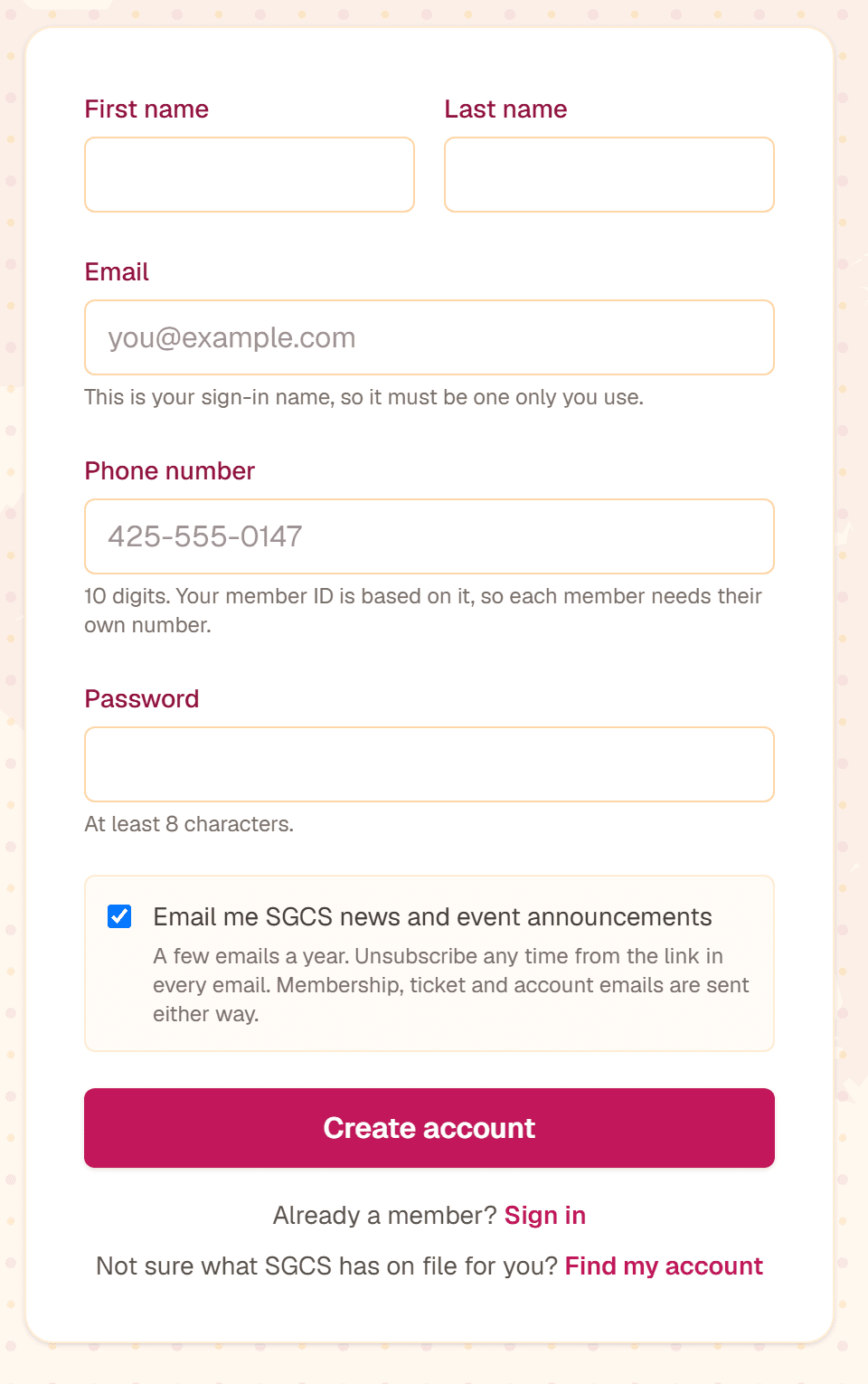
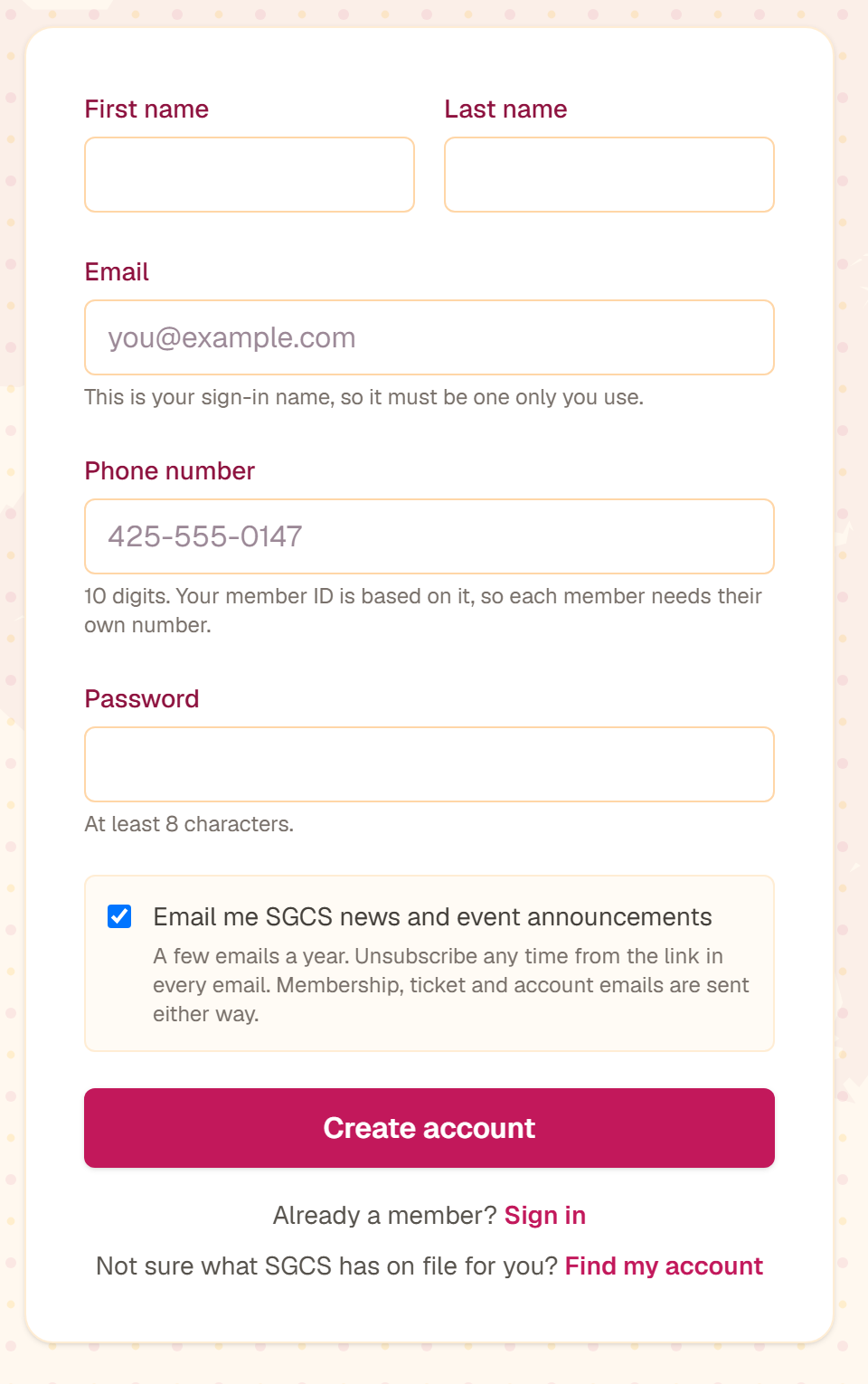
This is the sign-up form. Fill in every box, then press the pink Create account button. Tap the picture to see it full size. - 3
Choose whether to receive our news
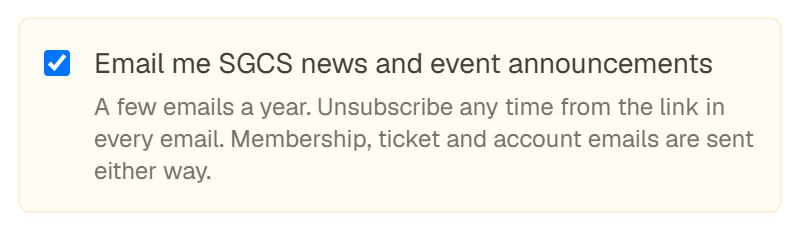
The newsletter box near the bottom is already ticked. Leave it ticked to hear about upcoming events, or untick it if you would rather not. Either way you will still receive membership, ticket and account emails, and you can change your mind later — see Emails we send.
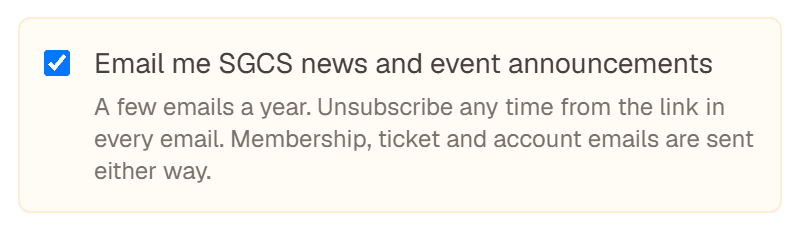
The newsletter box comes already ticked. Tap the picture to see it full size. - 4
Confirm your email address
Nothing is created yet. We send an email to the address you typed in — open it and click the link inside within 24 hours.
Cannot find the email? Wait a few minutes, then look in your junk or spam folder. It comes from board@seattlegujaratis.org. If it is in junk, mark it as “not junk” so our future emails reach you.
- 5
Sign in
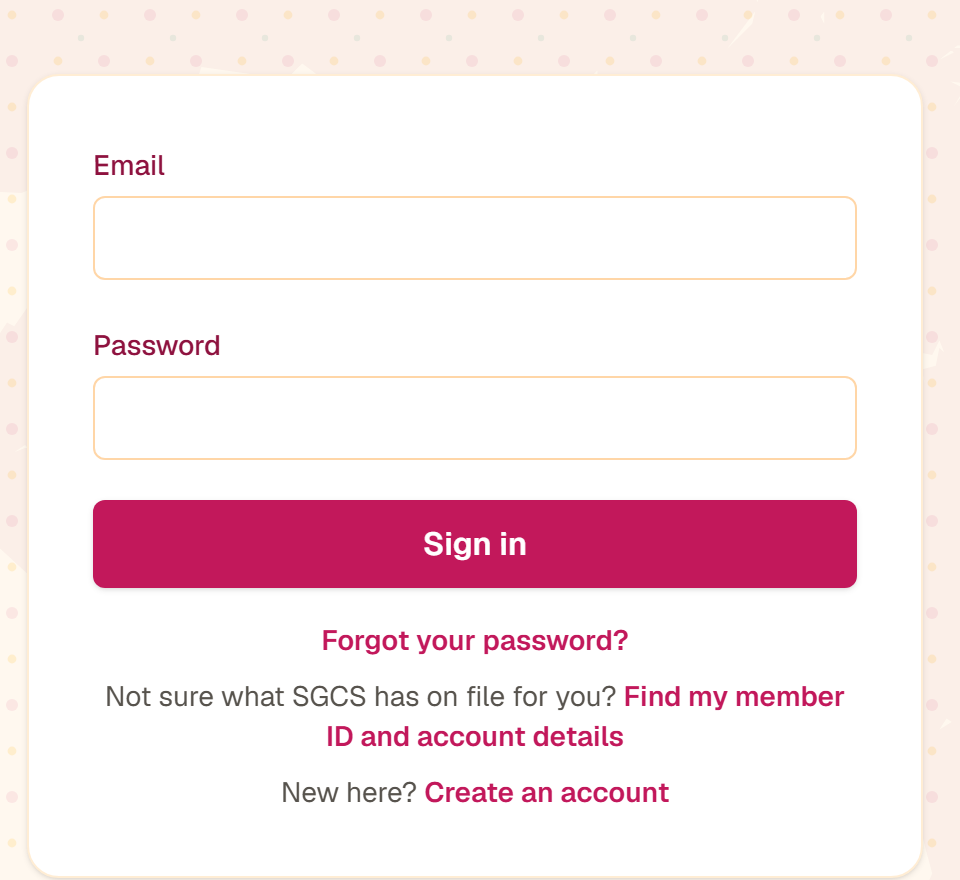
After you click the link you are sent to the sign-in page. Enter the same email address and password, and you will land on your dashboard.
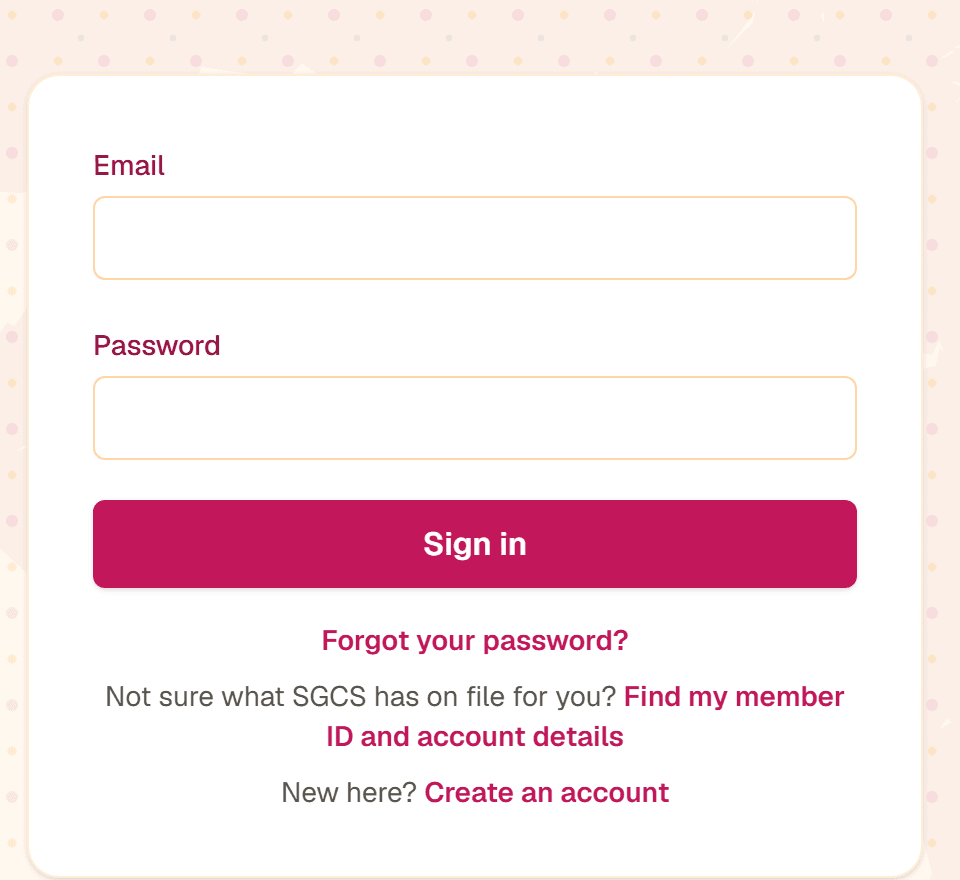
The sign-in form. Use the same email address you signed up with. Tap the picture to see it full size.
Already an SGCS member? Sign up anyway
Paying for a membership does not create a website account — those are two separate things. If you are already on our membership roster, create an account with the same name and phone number SGCS holds for you, and your existing membership and member ID are attached to it automatically. You do not lose anything, you do not pay again, and your join date and history are kept.
If your dashboard says “Not yet a member” even though you believe you are one, do not pay again — contact us and we will link the records for you.
Sign in and see your membership
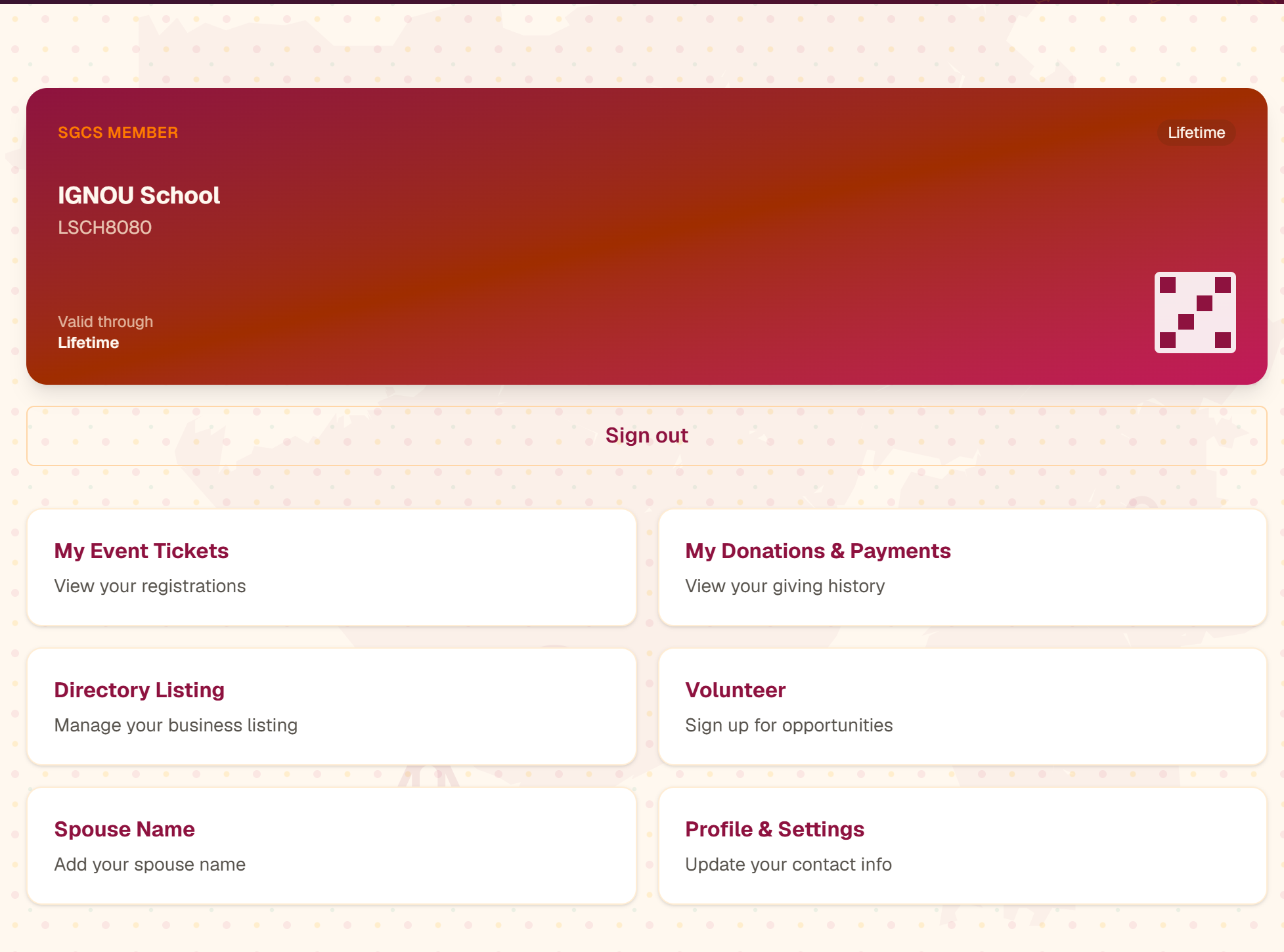
Go to Member Login and enter your email address and password. Your dashboard shows:
Your digital member card
Member ID, plan and valid-through date
My Event Tickets
Every ticket you have bought
My Donations & Payments
Your giving and membership payments
Profile & Settings
Update your phone, spouse name or password
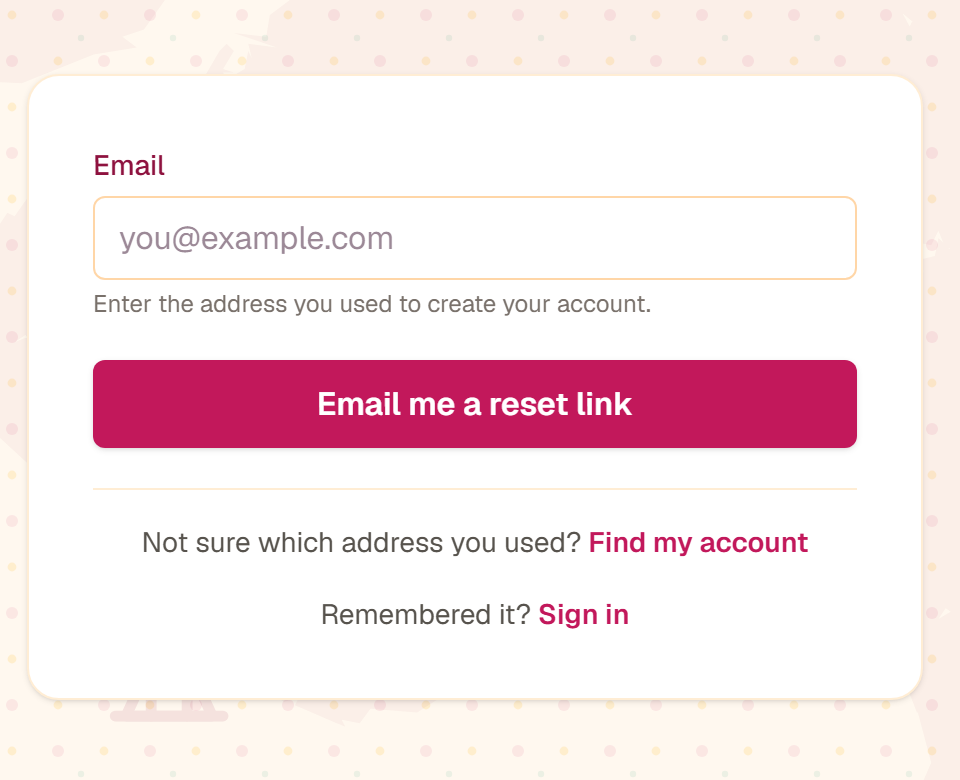
Forgot your password? Use Forgot your password and we will email you a reset link.
Two-step verification
Two-step verification adds a short code on top of your password, so nobody can sign in as you even if they learn it.
- For most members it is optional. You can turn it on under Profile & Settings.
- For board and admin accounts it is required, because those accounts can see other people’s details.
- You choose where the code comes from: emailed to you, or an authenticator app such as Google Authenticator, Microsoft Authenticator, Authy or 1Password. Email is the simpler choice if you are not sure.
- You can mark a device you use often as trusted, and it will skip the code on that phone or computer for 30 days.
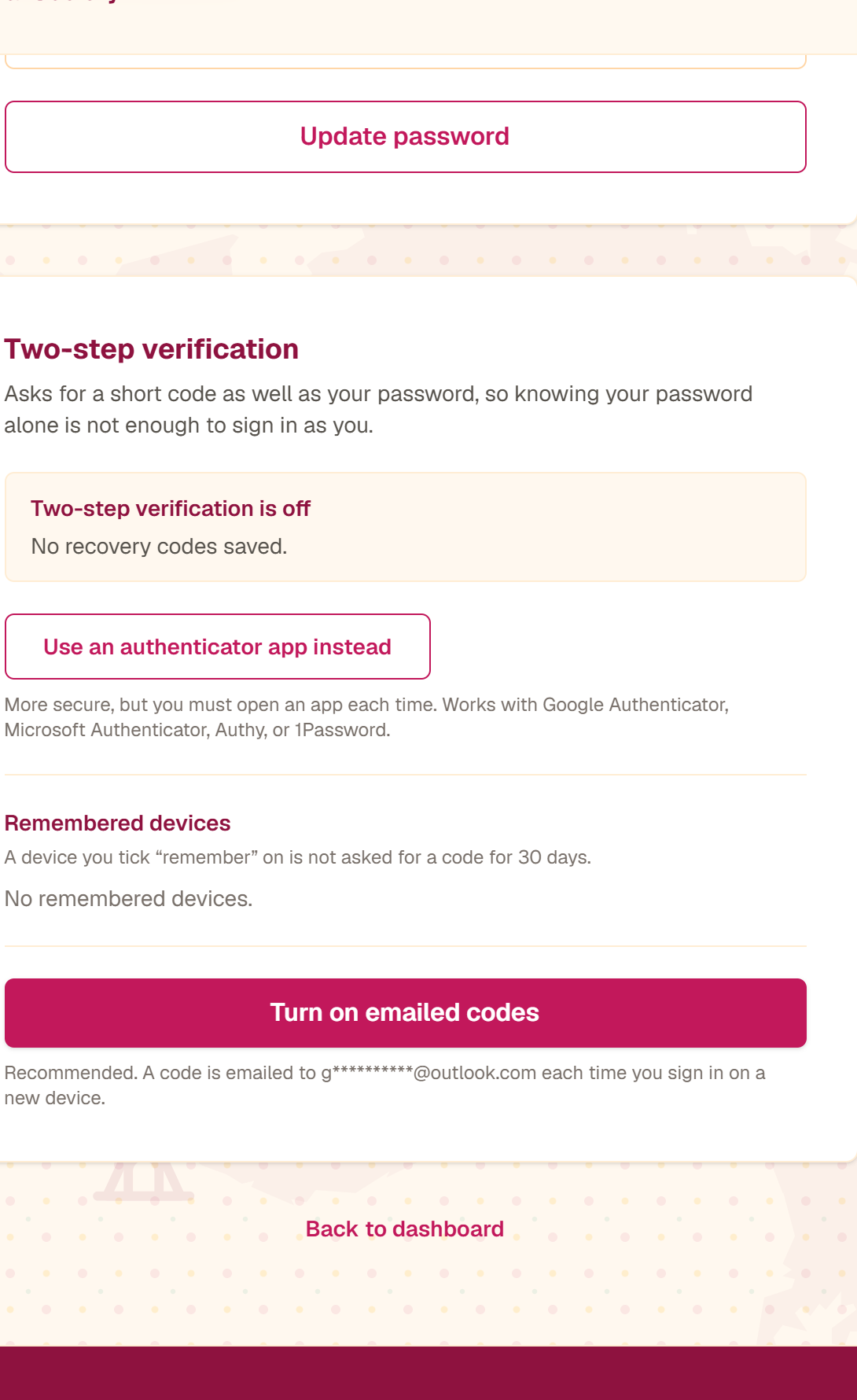
When you switch it on we also give you a set of recovery codes. Print them or write them down and keep them somewhere safe — they are how you get back in if you lose access to your email. If you run out, or you never saved them, ask us for help.
Find your member ID or account details
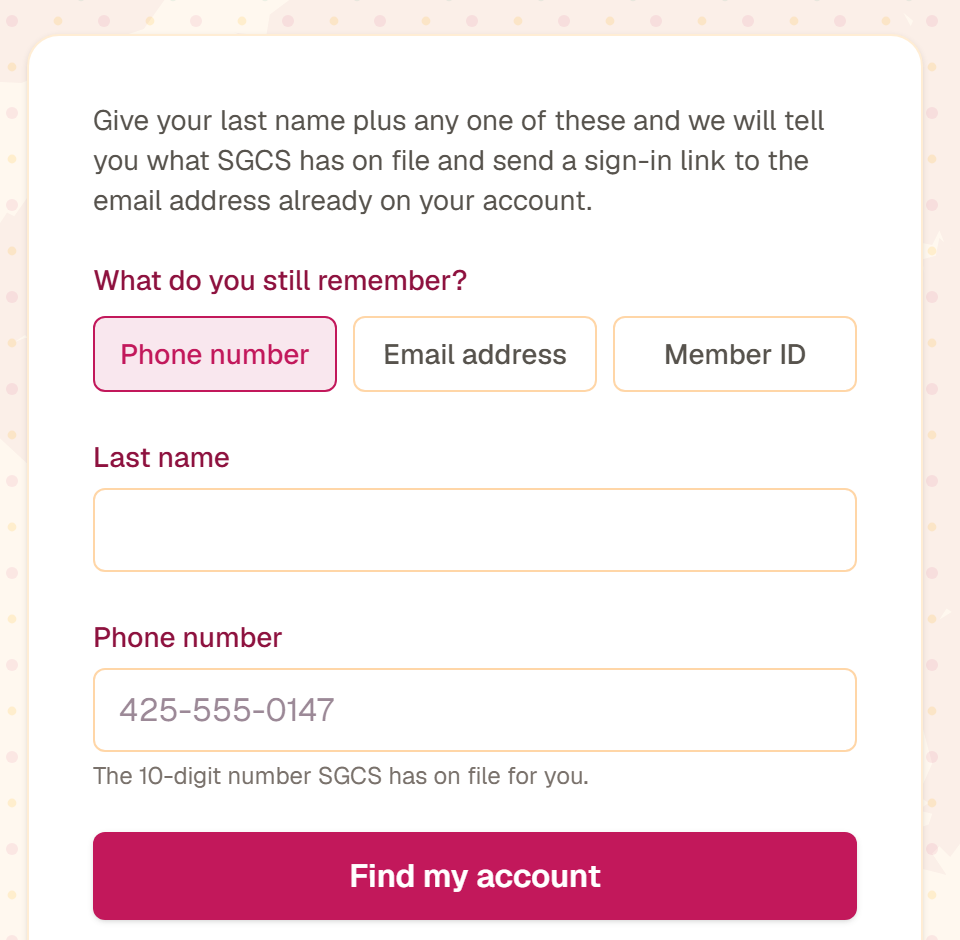
Not sure which email address you gave us, or what your member ID is? Use Find my account. Enter your last name plus any one of your phone number, your email address or your member ID. We will tell you what we hold and send a sign-in link to the email address already on your account.
How to read your member ID
It is 8 characters: the plan, the first three letters of your last name, then the last four digits of your phone number.
A at the start means an Annual membership instead. A last name shorter than three letters is padded with an X, so Ba becomes BAX.
Event tickets: sign in first, and use the same email address
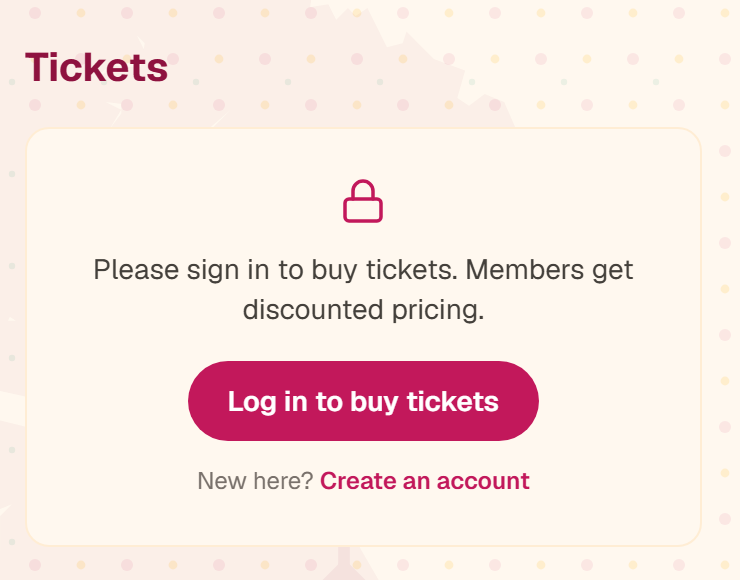
You have to be signed in to buy tickets. If you open an event page without signing in there is no ticket form at all — just a note asking you to sign in. Signing in first is also how you get the member price, so always start there.
Once you are signed in, the ticket form appears on the event page itself. It is run by Zeffy, our ticketing partner, and it asks for your email address again. That email address is the only thing that tells us the ticket is yours.
Type exactly the same email address you used for your SGCS account. The event page shows you that address in a yellow box just above the ticket form, so you can copy it. Do that and the ticket appears automatically under My Event Tickets on your dashboard, with the event, date, number of tickets and amount paid.
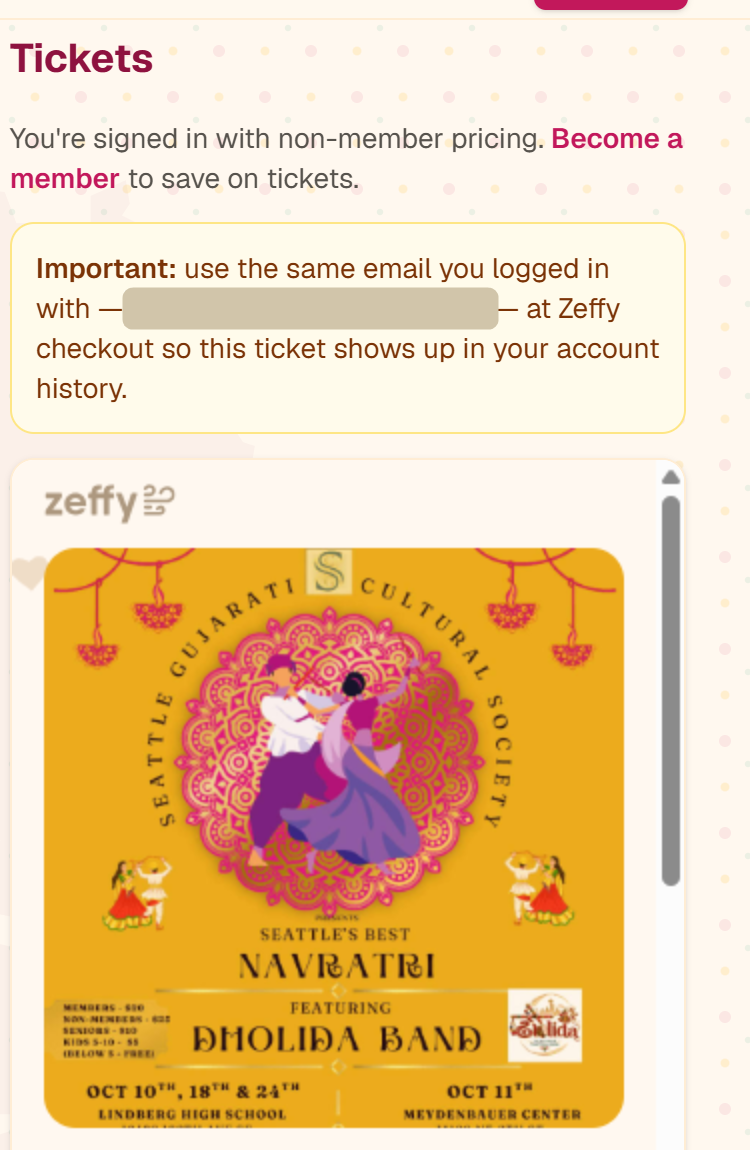
If you use a different address — a work address, a spouse’s address, or a typo — the purchase still goes through and your tickets are still valid, but it will not show in your history, because we have no way to know the two people are the same.
Good to know
It works backwards too. Tickets you bought before creating your account appear as soon as you sign up with that same email address — nothing is lost.
Members save money
Signed-in members get member pricing automatically. Signed-in non-members see the standard price and a link to become a member.
Bought a ticket with the wrong address? Let us know and we will attach it to your account.
Emails we send, and how to stop them
There are two kinds:
- Account emails — confirming your sign-up, resetting your password, your membership receipt, your event tickets. These are always sent, because they are a record of something you did.
- News and event announcements — a few a year. These are the ones controlled by the newsletter box when you sign up.
To stop the news emails later, use the unsubscribe link at the bottom of any one of them. One click is enough — you do not need to sign in, and it does not close your account or cancel your membership. If you change your mind, email us and we will turn them back on.
Becoming a member
An account is free. A membership is the paid part that gets you discounted event tickets and a member ID. You can see the plans and join on the Membership page.
Create your free account first if you have not already. That way your payment, your member ID and your ticket history all end up on the same record instead of scattered across two.
Common problems
- “That confirmation link has expired, so no account was created.”
- Confirmation links last 24 hours. Nothing was saved, so simply sign up again and click the new link sooner.
- “Another account has since claimed that phone number.”
- Somebody finished signing up with that number while your link was still waiting. Each member needs their own 10-digit mobile number, so sign up again with your own — or contact us if you think this is a mistake.
- The confirmation email never arrived.
- Check your junk or spam folder first. If it is not there, the address may have a typo in it. Sign up again and check the spelling carefully.
- I cannot open the email address on my account any more.
- Changing your sign-in address is done by a board member, never automatically, so that nobody can point your account at their own inbox. Use “Ask SGCS for help” below and someone will call you on the number we hold.
- I bought a ticket but have not created an account yet.
- Create a free account using the email address you used to buy your ticket. Enter your correct name and phone number, then click the confirmation link in your email. Your contact details and tickets will be linked after confirmation; you do not need a password reset.
- My dashboard says “Not yet a member” but I have paid.
- Do not pay again. Contact us and we will link your membership record to your account.
- My ticket is missing from my dashboard.
- You almost certainly used a different email address at the Zeffy checkout. Your ticket is still valid — tell us which address you used and we will attach it.
Still stuck?
Email us at board@seattlegujaratis.org with your name and phone number, or use the contact form. If you cannot reach the email address on your account, use Ask SGCS for help and a board member will call you on the number we hold.